
The sale, front and centre.
ReBuzz POS is the till your team actually uses: a catalogue on screen, a ticket that behaves, and a payment that closes cleanly.
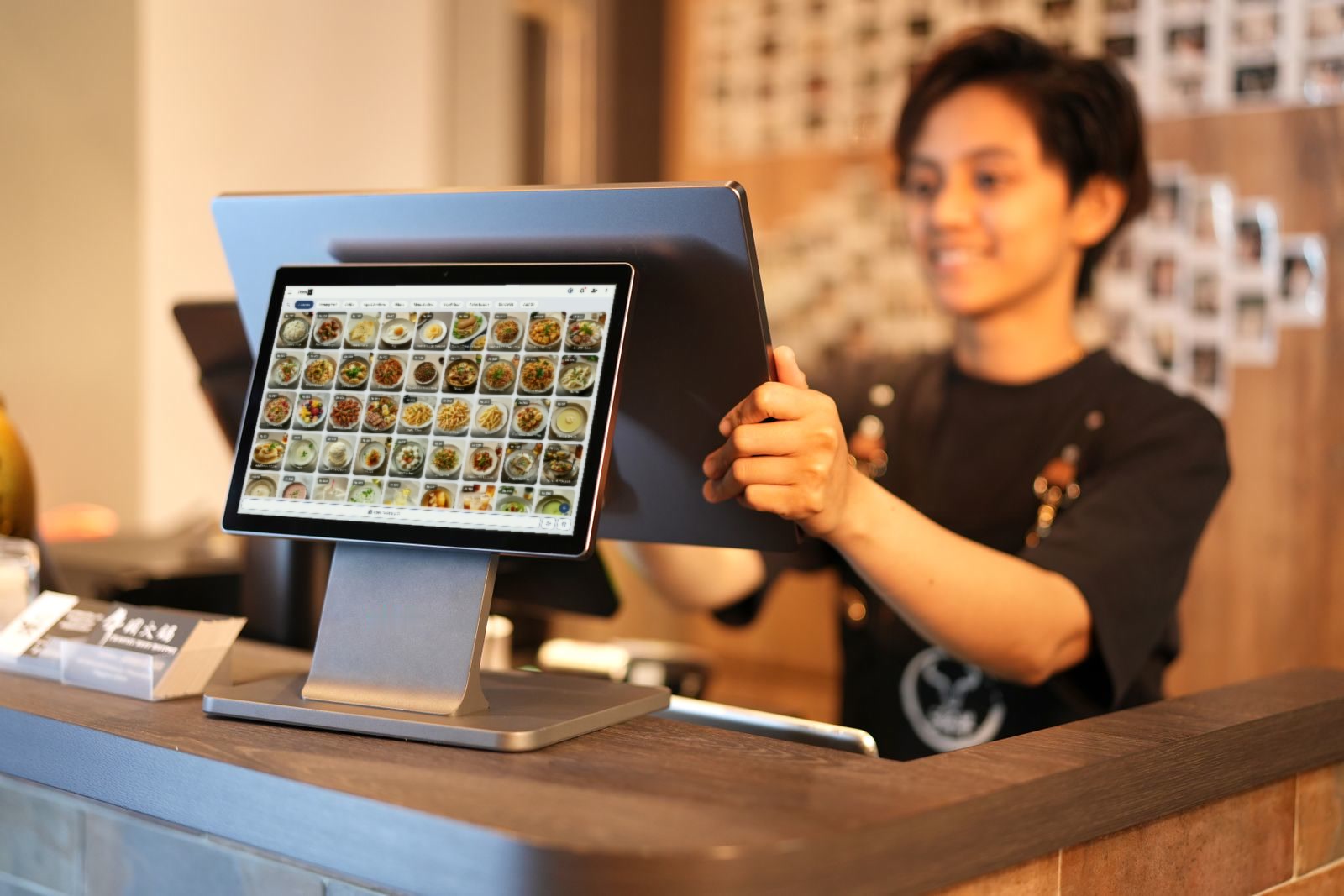
Your catalogue is the home screen.
Categories run across the top, search sits on the left, and every tile carries a photo and a price. Nothing is more than two taps away.
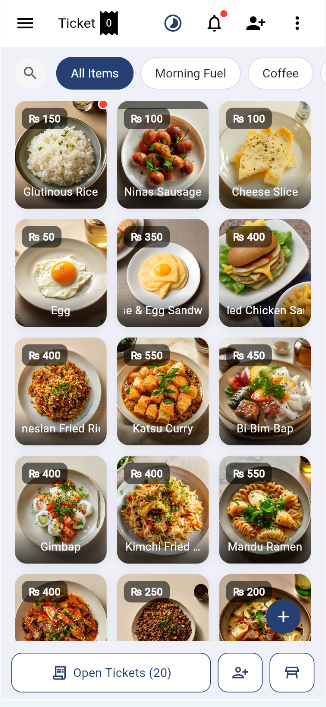
- 01Search, or your own category tabs
- 02A photo and a price on every tile
- 03Tap to add, tap again for quantity
- 04Open tickets, one tap away
Adjust the ticket without leaving the sale.
Quantities, unit prices, item discounts and taxes are all editable on the live ticket, and the total recalculates as you work.
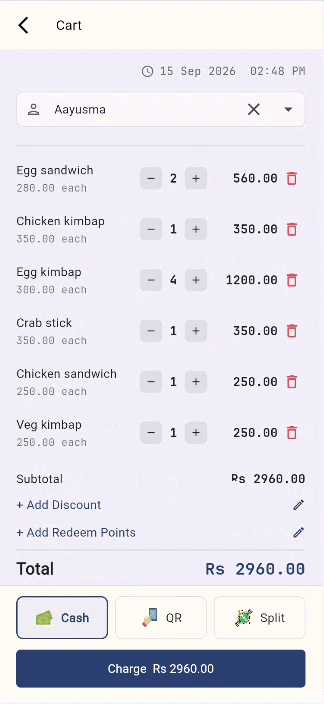
- 01Assign a customer to the sale
- 02Quantity and unit price on every line
- 03Discount at item or ticket level
- 04The total recalculates as you work
Nothing slips off the counter.
Every order stays open until it is paid. Open and closed tickets sit side by side, with the full transaction history behind them, so you can check the shift at any point without stopping the till.


Take the till to the table.
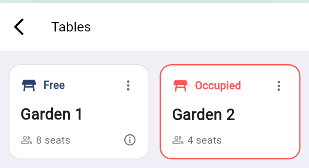
ReBuzz POS runs on a tablet or a handheld as well as the counter terminal, so an order can be taken where the customer is sitting. The floor plan shows which tables are free and which are occupied, and each one keeps its own open ticket until it is paid.
See it for restaurants →
Every channel becomes the same ticket.
A walk-up at the counter, a table in the room and an order from a phone all land in one queue — the same lines, the same totals and the same reports behind them.
A sale from start to finish
Select
Adjust
Pay
Record
What is a POS system?
A POS — point of sale — system is the software a business rings up a sale on. It holds the catalogue of what you sell, builds the ticket as items are added, takes the payment and records what left the shop, replacing a cash register and a notebook with one screen that keeps the numbers.
ReBuzz POS does that and keeps the record behind it. The catalogue is the home screen, the ticket stays editable until it is paid, and the closed sale carries its amount, time, payment method and the staff account that took it. Stock, customers and reporting read from the same database, so a sale at the counter is already counted everywhere else.
POS questions.
Yes — ReBuzz has an offline mode so selling continues when the connection drops.
Printer service is available as an option on the yearly plan and is included on the lifetime plan. Buying your own printer avoids a monthly rental.
Paid plans include unlimited employee accounts, so every person on shift works under their own login.
Put the counter on ReBuzz.
Start on the free plan, add your items and take your first order today. Move to yearly or lifetime when you need unlimited products and priority support.