
From their phone to your counter.
Customers order from your own digital menu, and every order lands in the same queue as walk-in sales — claimed, sent to the kitchen and handed over without a second screen.

The menu customers see is the catalogue you keep.
Items, categories and prices come from the same catalogue the till uses, so an update at the counter is an update online.
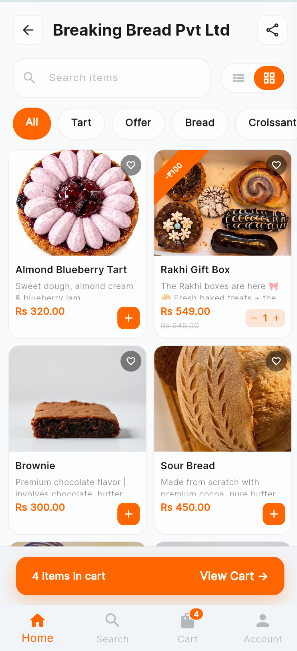
- 01Your own categories across the top
- 02A photo, price and note on every item
- 03Offers flagged on the item
- 04The cart follows them down the page
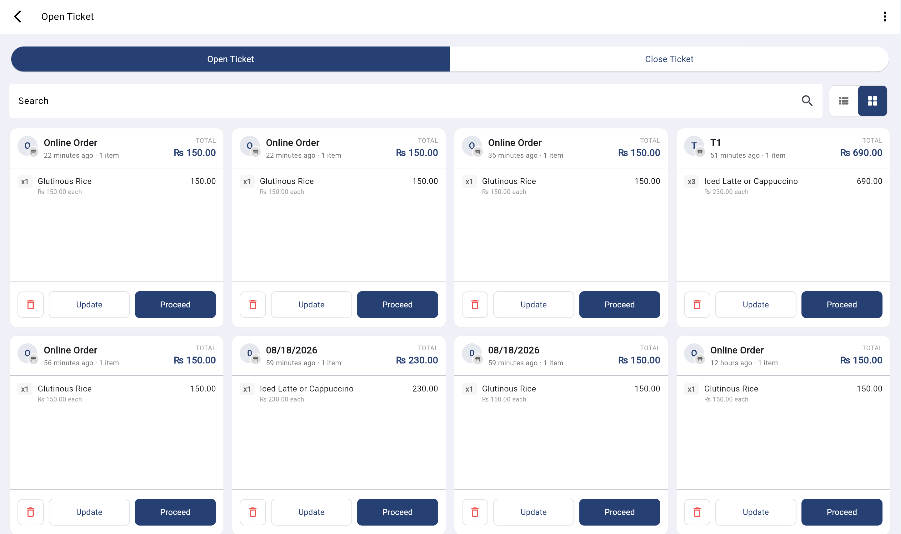
Online orders land beside counter tickets.
Every open order shows its lines, quantities and total until it is paid — whether it came from the counter, a table or a phone.
The pass gets a clean ticket.
Kitchen orders carry the item lines the kitchen needs, so the counter and the kitchen work from the same record.
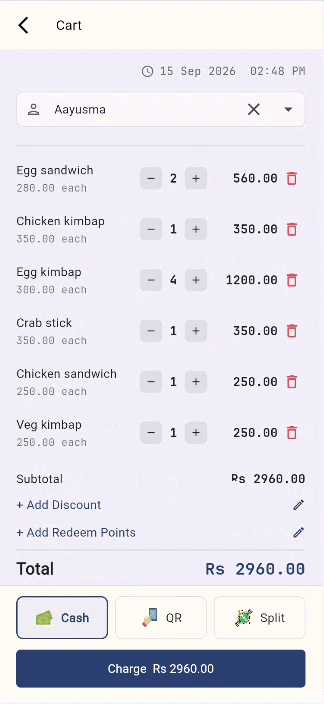
- 01The customer the order belongs to
- 02Each line with the quantity to make
- 03Subtotal and total follow the lines
Know when something needs attention.
Order notifications and status changes keep the floor informed without someone standing over the screen.
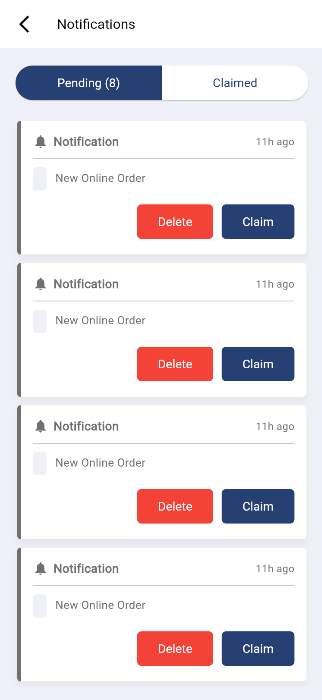
- 01Pending and claimed orders on two tabs
- 02Claim to the queue, or delete
- 03Each one timestamped as it arrives
Nothing is missed between the phone and the pass.
An order placed on a phone shows its lines, quantities and total in the same queue as a walk-up at the counter, and stays open until it is paid. Notifications flag what needs attention, and the whole thing is visible in real time from anywhere you log in.
See it for online stores →
Counter, table and phone become one ticket.
However the order arrives, it lands in the same queue with the same lines and the same totals — and closes into the same reports.
From customer to kitchen
Browse
Order
Prepare
Complete
How is ReBuzz Ordering different from ReBuzz POS?
ReBuzz POS is the till your staff ring sales up on at the counter. ReBuzz Ordering is the digital menu your customers use on their own phone — and the orders it takes land in the same queue as the counter's, so there is one list to work from rather than a second screen to watch.
They are not alternatives. The POS is what sells; Ordering is what you add when customers order without queueing, at a table or ahead of collection. Both read the same catalogue, so a price or an availability change made at the counter is the same change online.
Ordering questions.
Yes. An order placed on a phone shows its lines, quantities and total in the same queue as a walk-up at the counter, and stays open until it is paid, so the floor works from one list rather than two screens.
No. Items, categories, photos and prices come from the same catalogue the till uses, so an update at the counter is an update online, and availability follows your stock.
Kitchen order tickets carry the item lines the pass needs, and a ticket update reaches it, so the counter and the kitchen never work from different versions of the same order.
Take orders on every channel.
Start on the free plan, add your items and take your first order today. Move to yearly or lifetime when you need unlimited products and priority support.